Simple Smartphone Security Tips Experts Recommend to Keep Your Device Safe from Everyday Risks

Smartphones have evolved far beyond simple communication tools. Today, they store personal information, financial details, private conversations, photos, and access to a wide range of online accounts. As a result, they have become a valuable target for security threats.
Many people assume their device is fully protected by default, but everyday actions can unintentionally expose it to risks. Whether it’s downloading apps, connecting to networks, or sharing information online, small decisions can create security vulnerabilities.
That’s why following smartphone security tips is so important. By understanding common threats and adopting a few simple habits, you can better protect both your device and your personal information.
Why Smartphone Security Matters More Than Ever
As smartphones continue to take on more responsibilities in daily life, they also store larger amounts of sensitive data. This makes them increasingly attractive to those seeking unauthorized access.
Some common security risks include:
- Unauthorized access to personal information
- Apps collecting more data than necessary
- Unsecured network connections
- Accidental sharing of sensitive information
The challenge is that many of these risks are not immediately visible, which makes them easy to overlook.
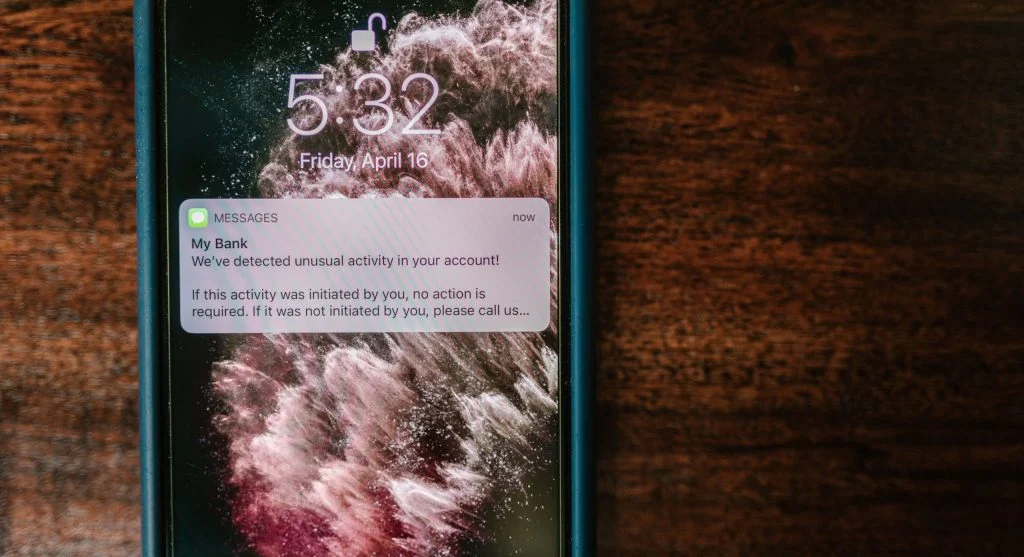
Use Strong Lock Screen Protection
Your lock screen serves as the first layer of protection for your smartphone. If someone gains physical access to your device, weak security settings can make it easier for them to access your information.
Consider using stronger security options such as:
- PIN codes instead of simple unlock patterns
- Strong passwords for additional protection
- Fingerprint authentication or facial recognition
These measures help ensure that only authorized users can access your device.
Be Careful When Installing Apps
Not every app available for download is trustworthy. Some applications may request permissions they do not actually need or collect data in the background without clear reasons.
Before installing an app:
- Review the permissions it requests
- Check what information it can access
- Avoid downloading apps from unknown sources
Being selective about the apps you install can significantly reduce potential security risks.
Review App Permissions Regularly
Many apps request access to features such as your camera, microphone, location, contacts, or storage. While some permissions are necessary for proper functionality, others may not be.
Take time to review permissions and remove access where appropriate, especially for:
- Features you rarely use
- Apps that do not require certain permissions
- Applications with excessive access requests
Managing permissions carefully helps protect your privacy and personal data.

Avoid Connecting to Untrusted Networks
Network security plays a major role in protecting your information.
Connecting to unknown or unsecured networks can expose your device and data to unnecessary risks.
To improve safety:
- Avoid unsecured public Wi-Fi networks whenever possible
- Refrain from accessing sensitive accounts on public connections
- Disconnect from unfamiliar networks when they are no longer needed
Being cautious about where and how you connect can help reduce security concerns.
Keep Your Software Updated
Software updates do more than introduce new features. They often contain important security improvements designed to address known vulnerabilities.
Keeping your smartphone updated helps provide:
- Protection against known security issues
- Improved system stability
- Better overall performance
Regular updates are one of the simplest and most effective ways to maintain device security.
Enable Built-In Security Features
Most smartphones come equipped with security tools designed to help protect your data.
These built-in features can:
- Identify potential security risks
- Monitor unusual activity
- Provide additional protection for sensitive information
Taking advantage of these tools adds another layer of defense to your device.

Be Cautious with Links and Messages
Not every message, email, or link you receive is safe.
Unexpected messages may encourage actions that could compromise your information or device security.
To stay protected:
- Avoid clicking links from unknown sources
- Never share sensitive information through suspicious messages
- Be careful when responding to unexpected requests
A cautious approach can help you avoid many common security threats.
Back Up Your Data Regularly
Even with strong security measures, unexpected situations can occur. Regular backups ensure that important information remains accessible if something goes wrong.
Backing up your data can help:
- Protect valuable files and information
- Simplify data recovery if needed
- Provide peace of mind
Making backups part of your routine is an important aspect of smartphone security.
Build Strong Daily Security Habits
Protecting your smartphone is not something that should be done only once. Ongoing attention and good habits are essential.
Some simple practices include:
- Locking your phone whenever it is not in use
- Reviewing security settings periodically
- Being cautious when downloading apps or files
Small actions performed consistently can greatly improve your overall security.
Frequently Asked Questions
Q: What are smartphone security tips?
A: They help protect your device and data from risks.
Q: Is my phone secure by default?
A: Basic security exists, but additional steps improve safety.
Q: Are apps a security risk?
A: Yes, if they have unnecessary permissions.
Q: How can I improve phone security?
A: By managing settings and following safe practices.
Key Takeaway
Following practical smartphone security tips can help safeguard your device and personal information from everyday threats. By using strong authentication methods, managing app permissions, staying alert to potential risks, and maintaining good security habits, you can keep your smartphone safer and your data better protected.
Share this content:














Post Comment