Simple Tips to Identify Fake Apps and Avoid Smartphone Scams Before They Harm Your Data
Smartphones have made it incredibly easy to download applications for almost any need, from productivity and entertainment to shopping and banking. While this convenience offers many benefits, it also creates opportunities for cybercriminals. Fake apps are becoming increasingly common, and many are specifically designed to trick users into revealing personal information or installing harmful software.
At first glance, these apps can appear legitimate. They may copy the names, logos, and descriptions of popular applications, making them difficult to identify. Unfortunately, downloading a fake app can lead to privacy concerns, security risks, and even data theft. Understanding how to recognize suspicious apps is one of the best ways to protect both your smartphone and your personal information.
Why Fake Apps Are Dangerous
Fake apps are designed to imitate trusted applications and convince users that they are safe to install. Once downloaded, they can perform a variety of harmful actions without the user realizing it.
Potential risks include:
- Stealing personal information
- Tracking user activity
- Displaying excessive advertisements
- Collecting login credentials
- Reducing device performance
- Installing additional malicious software
Because these threats often operate quietly in the background, users may not immediately realize that something is wrong.
Understanding the risks is the first step toward avoiding them.

Check the App Developer Information
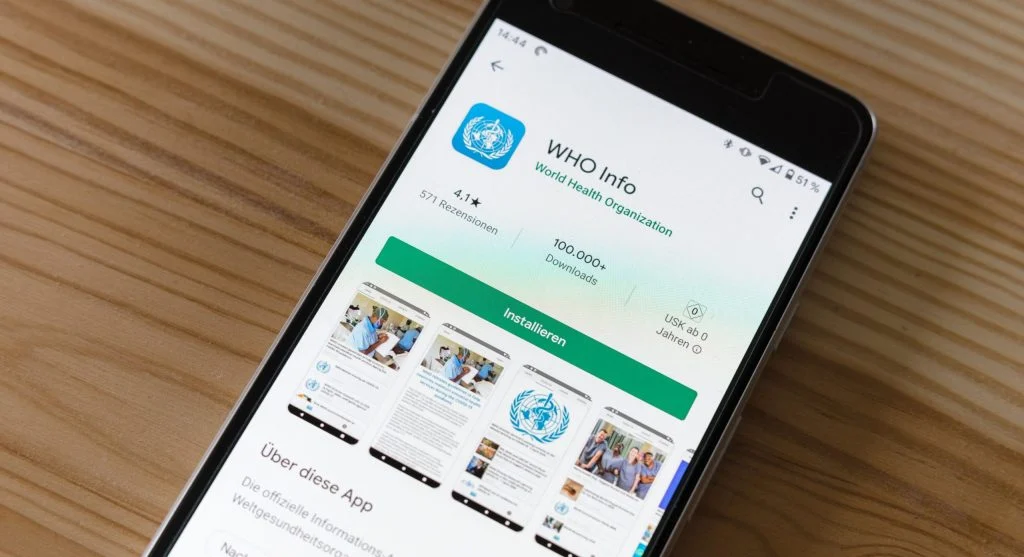
One of the simplest ways to identify a fake app is by examining the developer information before downloading it.
Legitimate applications are usually published by well-known companies or verified developers. Fake apps often use unfamiliar names or attempt to imitate official developers with slight variations.
Before installing an app:
- Verify the developer’s name
- Compare it with information from the official website
- Look for verification badges when available
- Be cautious of unknown developers
Taking a few seconds to review this information can help prevent costly mistakes.
Look Carefully at Reviews and Ratings
User reviews can provide valuable insight into an application’s reliability and safety.
Warning signs may include:
- Large numbers of negative reviews
- Complaints about suspicious behavior
- Reports of excessive advertisements
- Concerns about privacy or security
- Reviews mentioning scams or malware
At the same time, be cautious of apps that have hundreds of overly positive reviews that seem repetitive or unnatural. Fake reviews are sometimes used to create a false sense of trust.
Reading a variety of reviews can help you make a more informed decision.
Check Download Numbers
Download statistics can also provide useful clues about an app’s credibility.
Popular and established applications often have:
- Thousands or millions of downloads
- Consistent user engagement
- Strong review histories
Fake apps frequently have:
- Very low download counts
- Recently created profiles
- Limited user feedback
While low download numbers do not automatically mean an app is fake, they should encourage additional caution, especially when combined with other warning signs.
Be Careful with Permission Requests
App permissions determine what information and features an application can access on your device.
Some permissions are necessary for functionality, but fake apps often request access that goes far beyond what they actually need.
Potential red flags include requests for:
- Contacts
- Location data
- Camera access
- Microphone access
- Text messages
- Call logs
For example, a simple flashlight app generally should not require access to your contacts or microphone.
If an app requests permissions that seem unrelated to its purpose, consider avoiding it.
Avoid Downloading Apps from Unknown Sources
One of the safest practices for smartphone security is downloading applications only from trusted app stores.
Safer options include official stores provided by smartphone manufacturers and operating system developers.
To reduce risk:
- Use official app marketplaces
- Avoid downloading APK files from unknown websites
- Be cautious with links shared through messages or emails
- Disable installation from unknown sources unless absolutely necessary
Official app stores typically perform security checks that help reduce the presence of harmful applications.
Watch for Duplicate or Copycat Apps
Fake apps often imitate successful applications by copying their names, logos, colors, and descriptions.
Common warning signs include:
- Slight spelling errors
- Different developer names
- Modified logos
- Unusual icons
- Small changes in branding
Cybercriminals rely on users overlooking these details. Taking a closer look can help prevent accidental downloads.

Keep Your Smartphone Updated
Software updates play an important role in protecting devices from security threats.
Updates often provide:
- Security patches
- Improved malware detection
- Better app verification systems
- Enhanced privacy protections
Keeping your smartphone updated ensures that it benefits from the latest security improvements.
Regular updates help reduce the chances of harmful apps exploiting known vulnerabilities.
Remove Suspicious Apps Immediately
If you believe you have installed a fake or malicious application, taking action quickly is important.
Recommended steps include:
- Uninstalling the app immediately
- Clearing app data and cache
- Reviewing app permissions
- Running a security scan if available
- Monitoring accounts for unusual activity
- Changing passwords if sensitive information may have been exposed
The sooner suspicious software is removed, the lower the risk of further problems.
Build Safe Download Habits
The most effective defense against fake apps is developing safe download habits.
Helpful practices include:
- Researching apps before installation
- Reading reviews carefully
- Checking developer information
- Reviewing permissions
- Using official app stores
- Keeping devices updated
Awareness and caution can significantly reduce the likelihood of falling victim to app-related scams.
Frequently Asked Questions
Q: What are fake apps?
A: Apps designed to trick users and steal data.
Q: How can I detect fake apps?
A: Check developer, reviews, and permissions.
Q: Are fake apps dangerous?
A: Yes, they can harm your data and privacy.
Q: Should I install apps from outside stores?
A: No, it increases risk.
Key Takeaway
Fake app threats continue to grow as cybercriminals develop more convincing ways to imitate legitimate applications. Fortunately, users can significantly reduce their risk by checking developer information, reading reviews, reviewing permissions, avoiding unknown sources, and maintaining good security habits. Staying alert and verifying app details before installation remains one of the most effective ways to protect both your smartphone and your personal information.
Share this content:













Post Comment