Simple Smartphone Speed Tips Experts Recommend to Make Your Phone Feel Fast Again
Smartphones are built to deliver fast, smooth, and responsive performance. Yet after months or years of use, many people begin to notice their devices slowing down. Apps may take longer to launch, scrolling might not feel as fluid, and everyday tasks can start to lag.
This can be frustrating, especially when the phone is still relatively new. Many users assume that slower performance is simply a sign of aging hardware and that there is little they can do about it.
In reality, that is often not the case. Most smartphone slowdowns are not caused by failing hardware but by the way the device is used and maintained over time.
The good news is that a few simple smartphone speed tips can help restore performance and make your device feel faster again without the need for an upgrade.
Why Smartphones Slow Down Over Time
Smartphones rarely become slow overnight. Instead, performance issues tend to develop gradually as different factors accumulate in the background.
Some of the most common causes include:
- Too many apps running in the background
- Storage space that is nearly full
- Outdated software
- A buildup of cached data
While each issue may seem minor on its own, together they can create noticeable lag and reduce overall performance.
That is why many users feel like their phone suddenly became slow, even though the problem has actually been building up over weeks or months.

Close Background Apps to Reduce System Load
Many applications continue running even after you stop actively using them. These background processes consume memory and processing resources.
When too many apps remain active, your phone has a harder time managing system resources efficiently.
Closing unnecessary background apps can help:
- Free up memory
- Reduce system workload
- Improve overall responsiveness
This is one of the quickest and easiest ways to boost performance immediately.
Free Up Storage Space for Better Performance
Available storage has a significant impact on how well a smartphone performs. When storage is nearly full, the operating system has less room to function efficiently.
This can affect:
- App launch times
- File access speed
- General system performance
Maintaining a healthy amount of free storage helps your device run more smoothly.
Even clearing out a relatively small amount of space can lead to noticeable improvements.
Clear Cache to Remove Temporary Data
Apps create cache files to speed up certain processes and improve user experience. However, as these files accumulate over time, they can have the opposite effect.
Clearing cached data can:
- Remove unnecessary temporary files
- Improve app performance
- Free up storage space
Since cache clearing does not remove personal files or important information, it is generally considered a safe and effective maintenance step.
Update Your Software Regularly
Software updates play an important role in maintaining device performance. Updates often include:
- Bug fixes
- Performance enhancements
- Security improvements
Running outdated software can lead to slower performance, reduced efficiency, and compatibility problems with newer apps.
Keeping your phone updated helps ensure it continues operating at its best.
Reduce Animations and Visual Effects
Modern smartphones use animations and visual effects to create a polished user experience. While these features can look appealing, they also require system resources.
Reducing or limiting animations can help:
- Speed up navigation
- Improve responsiveness
- Minimize lag
This adjustment is particularly beneficial for older devices or phones with limited hardware resources.
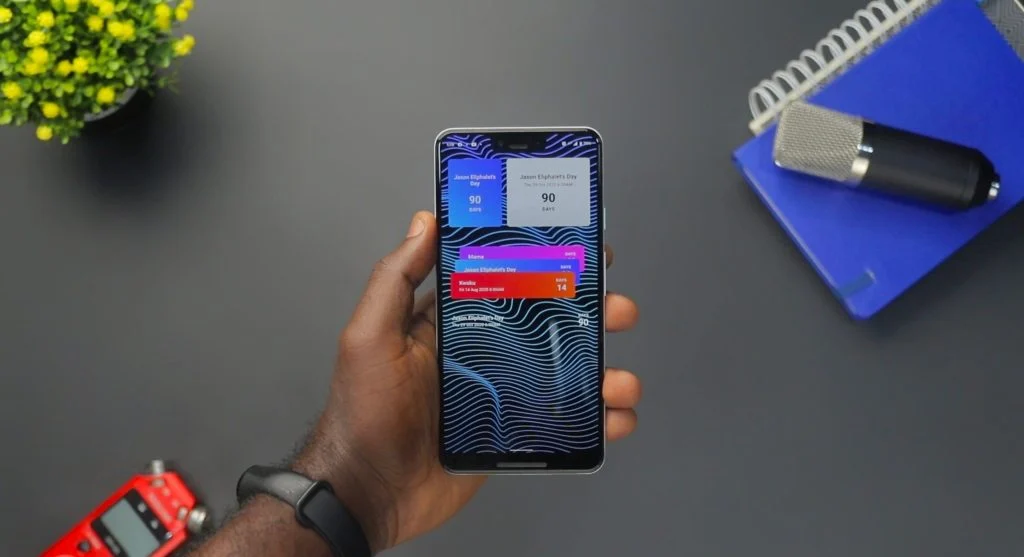
Limit Widgets and Home Screen Clutter
Widgets can provide quick access to useful information, but they also consume memory and processing power.
Having too many widgets on your home screen may:
- Slow down home screen performance
- Increase background activity
- Affect overall device responsiveness
Keeping your home screen clean and organized can contribute to a faster experience.

Uninstall Unused Apps to Reduce Load
Apps that are rarely used often continue occupying storage space and may still run background processes.
Removing unnecessary applications can help:
- Free up storage capacity
- Reduce system workload
- Improve overall performance
Reviewing installed apps regularly ensures that only the ones you actually use remain on your device.
Restart Your Phone Regularly
Restarting your smartphone is one of the simplest maintenance steps you can take.
A restart helps:
- Clear temporary memory
- Reset background processes
- Resolve minor software glitches
In many cases, a quick reboot can noticeably improve responsiveness and overall performance.
Manage Notifications to Reduce Background Activity
Every notification requires system resources, as apps must stay active to check for updates and alerts.
Reducing unnecessary notifications can:
- Lower background activity
- Improve device performance
- Minimize distractions
As a result, your smartphone can operate more efficiently while providing a better overall user experience.
Create a Weekly Performance Routine
Rather than waiting until your phone becomes noticeably slow, it is helpful to perform regular maintenance.
A simple weekly routine might include:
- Clearing cached data
- Removing unnecessary files
- Reviewing installed apps
Consistent upkeep can prevent many common performance issues and help your smartphone continue running smoothly.
Frequently Asked Questions
Q: Why is my phone slow?
A: Due to background apps, storage issues, and outdated software.
Q: Can I make my phone faster?
A: Yes, by optimizing settings and managing resources.
Q: Does storage affect speed?
A: Yes, low storage can slow down performance.
Q: How often should I optimize my phone?
A: Weekly maintenance is recommended.
Key Takeaway
These smartphone speed tips can help improve performance, reduce lag, and extend the life of your device without requiring a replacement. By managing apps, maintaining available storage, and adjusting key settings, you can keep your smartphone running smoothly and enjoy a faster, more responsive experience.
Share this content:












Post Comment